Free
Birthday Party Bingo
Birthday
These birthday bingo templates include a general party card, milestone cards for a 1st, 16th, 21st, 30th, 40th, 50th, or 100th birthday, and activities built around karaoke, trivia, photos, memories, or a scavenger hunt. Choose the closest match for your plans, then replace any squares that do not suit the guest or group before you print the cards or set up online play.
Hand-designed cards, ready to print. Start with the free one or unlock the rest.
Birthday
Birthday
Birthday
Birthday
Open any card, change the squares, then print unique cards or play online.
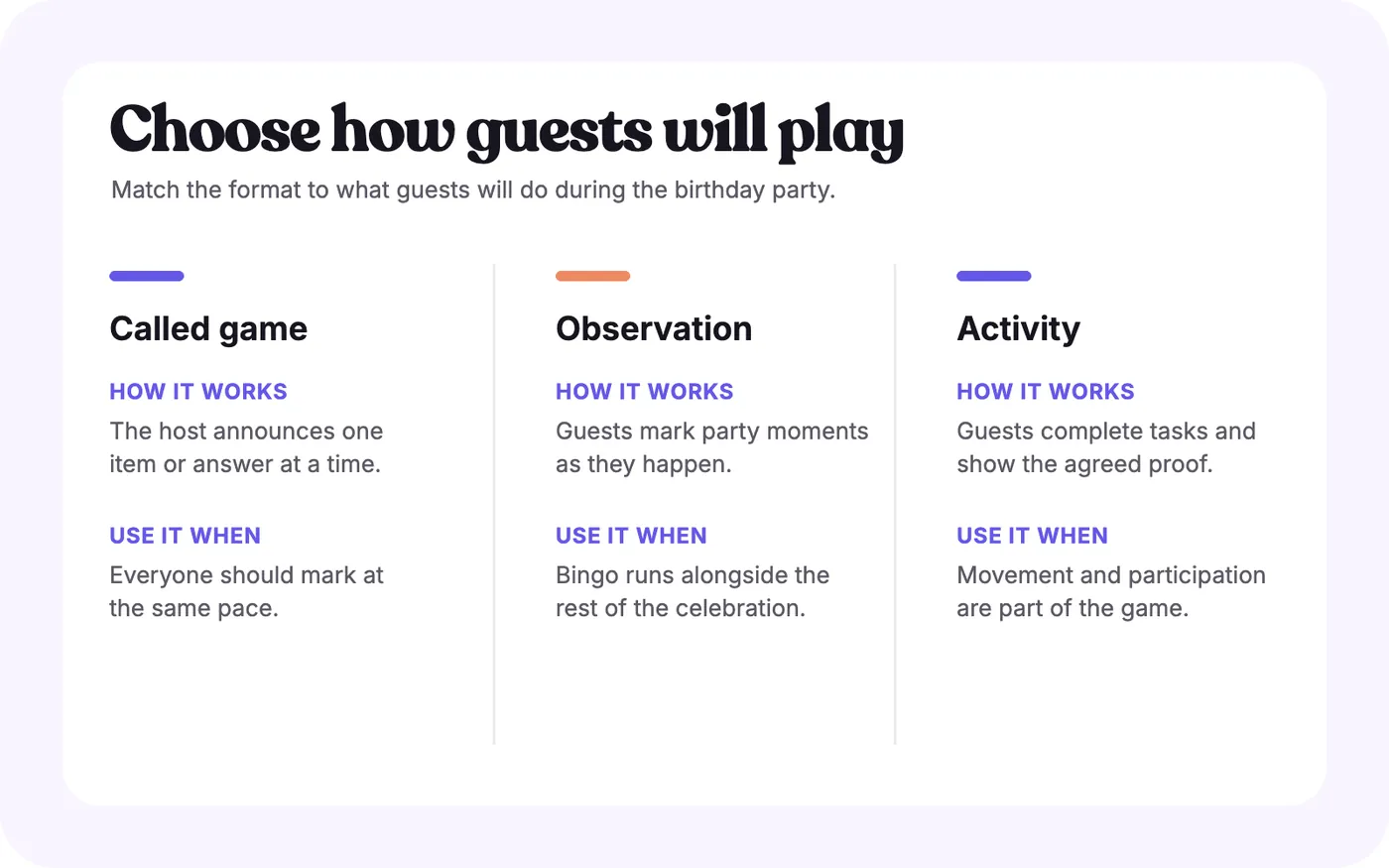
First decide what guests will do during the game. Some birthday bingo cards use items that a caller announces. Others ask guests to notice party moments, answer questions about the guest of honor, take photos, or perform a song. Once you know the format, you can choose a template and remove squares that will not work at your event.
Open the closest template rather than searching for one that is already exact. A few thoughtful changes usually make a general card more personal than adding every possible birthday reference.
Replace generic squares with details that guests can recognize and comfortably respond to. Favorite foods, hobbies, familiar sayings, past trips, party decorations, and shared memories can all work. Keep each square short enough to read on the finished card.
Review personal prompts before printing. A question about a childhood nickname may suit close family and friends but feel awkward in a mixed group. Give guests a way to skip a prompt that asks them to speak, sing, share a memory, or appear in a photo.
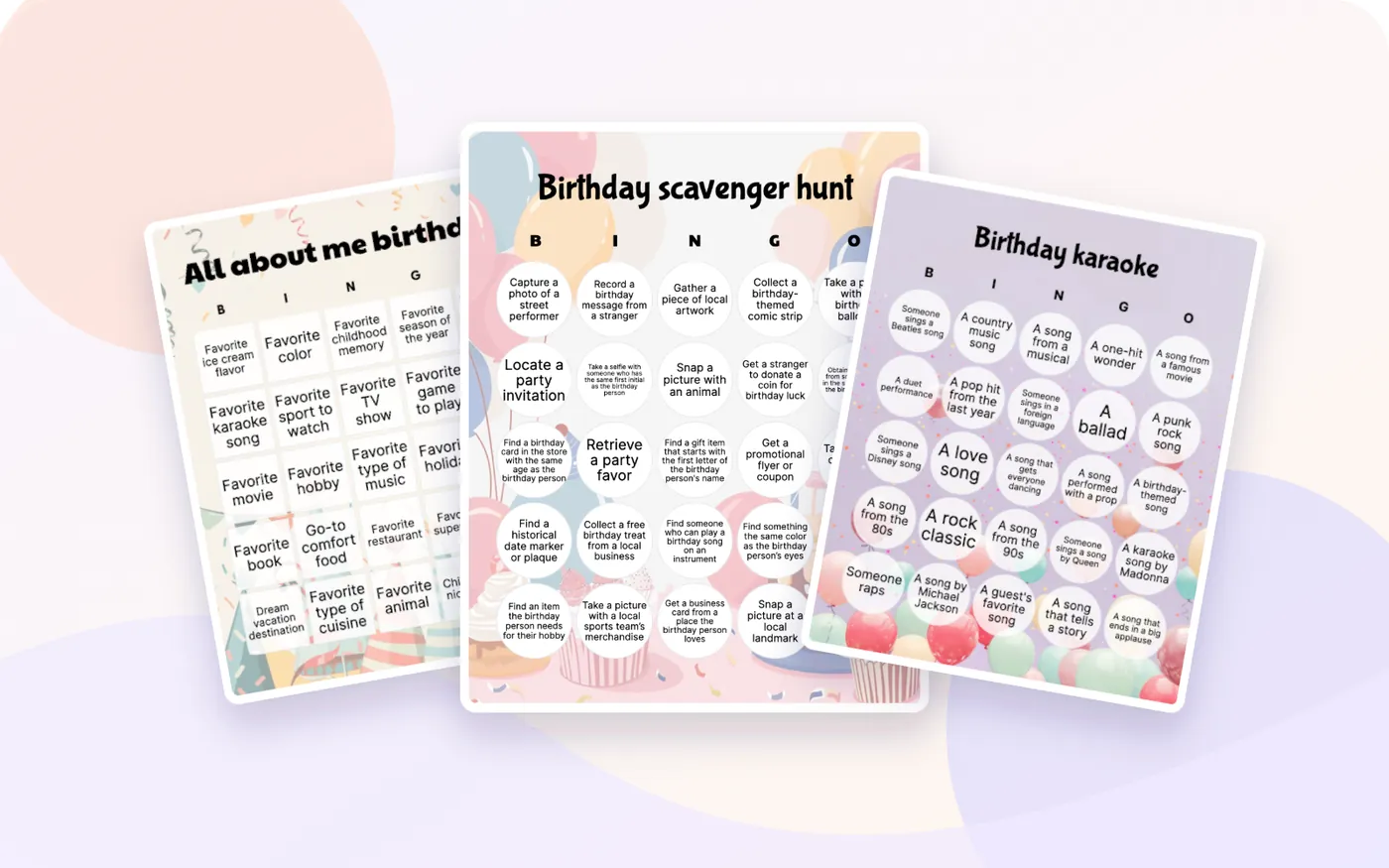
Activity templates need a practical check as well. The Birthday scavenger hunt includes tasks involving photographs, local places, businesses, and people outside the party. Remove anything that would require unsafe travel, involve a stranger, or take longer than the event allows.
Use one clear rule throughout a round:
Announce the winning pattern before play starts. A row, column, or diagonal keeps a round short. Four corners or a full card takes longer. If guests are completing activities at different speeds, set an end time as well.
For printed games, make sure the markers work with the paper and that the caller can track completed calls. The printing guide covers the current output flow. For online play, test the joining instructions before guests arrive and use the online-play guide for the host and player steps.
For young children, use familiar pictures or short phrases, a smaller grid, and a calling method they can follow. For a mixed-age party, avoid references that only one generation will understand unless explaining them is part of the game.
At an adult party, decide how much performance or personal disclosure the group will enjoy. Karaoke, dares, memory prompts, and photo tasks can be entertaining for willing participants, but they should not be required to stay in the game. A second, low-pressure template can work better for guests who would rather observe and mark.
Rewrite them with one clear answer or action. If a caller would have to explain the square differently each time, it is not ready.
Remove tasks that require long trips, complicated props, or stopping another planned moment. Keep the game within the space and time already available.
Give an example before the round and decide who confirms completed tasks or answers. For a photo challenge or scavenger hunt, explain what proof is required.
Edit or replace references that depend on private knowledge, physical activity, reading ability, or being photographed. Choose the next-closest template if too many squares need changing.
Use All about me birthday for a personal conversation game, Birthday scavenger hunt for an active challenge, or Birthday karaoke when performances are already part of the party.
Choose according to what guests will do. All about me birthday suits a conversation about the guest of honor, Birthday scavenger hunt uses completed tasks, Birthday karaoke follows performances, and the milestone templates focus the game on a particular age.
Yes. Open the closest template with Edit & print, then replace squares, adjust the design, and review the finished card before creating the player copies. Keep personal prompts appropriate for everyone who will attend.
Give each guest a card, explain whether squares are called, observed, answered, or completed as activities, and announce the winning pattern. Track the calls or completed tasks so the host can check a claimed win.
Yes. Open the chosen template in the editor and select Play online to enter the setup flow. Test the joining instructions and game rules before the party, especially when guests will use different devices.
Start from a blank card, or describe your event and AI fills every square in seconds.